
If you run a small business and you've been putting off the “which AI should I actually use” decision, here's the good news: in 2026 there's no wrong answer. Claude, ChatGPT, and Gemini are all genuinely useful, and all three cost the same $20/month for their standard paid plans (each also has a free tier worth trying first). The price is identical, so you get to choose based on what the tool is good at — not what it costs.
The bad news is that “they're all good” is exactly why the choice feels confusing. So let's cut through it. Here's the thirty-second version, then the detail.
The Thirty-Second Version
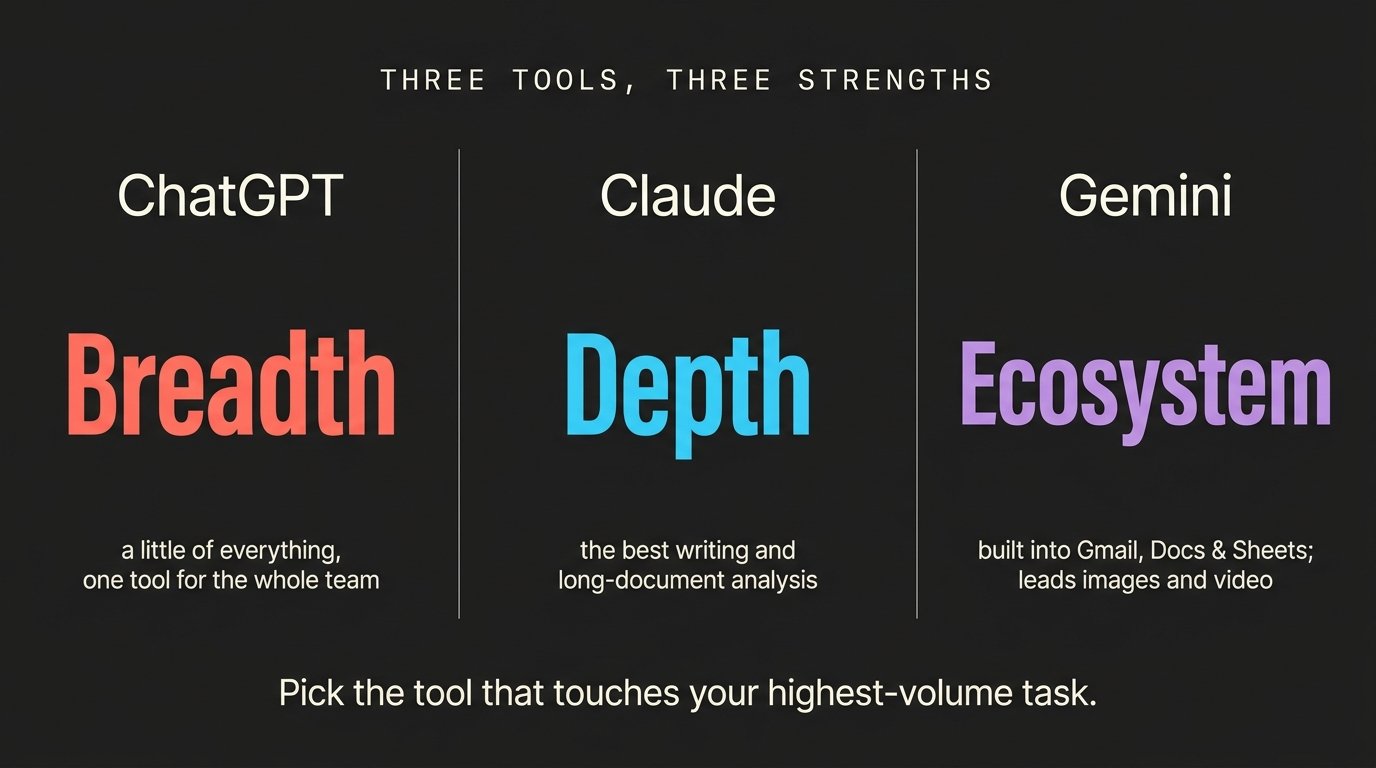
ChatGPT is the breadth play — the flexible all-rounder that does a little of everything competently, and the safest first tool if you want one assistant for the whole team. Claude is the depth play — the best at writing that doesn't sound like a robot wrote it, at reading long documents, and at anything that needs careful, precise output. Gemini is the ecosystem play — if your business already lives in Gmail, Google Docs, Sheets, and Drive, Gemini is baked right into the apps you use all day, and it's also the clear leader for images and video.
If you take nothing else away: pick the tool that touches your highest-volume task. Whatever you do most, choose the AI that's best at that.
First, What They All Have In Common
Before the differences, it's worth saying how similar these tools really are. All three can write emails, summarize a report, brainstorm ideas, answer research questions, draft social posts, clean up a spreadsheet, and explain something complicated in plain language. For the everyday “help me write this / help me understand that” work that makes up most of a business owner's AI use, any of the three will serve you well.
They're also structurally the same: a chat window you can use in a browser, mobile apps, a free tier with limits, a ~$20 paid tier that removes most of those limits, and business/team plans for when you're rolling it out to staff. So the question isn't really whether AI will help — it's which flavor fits your work best.
ChatGPT — The Versatile All-Rounder
ChatGPT is the most widely used AI tool in business, and its biggest advantage is simply that it's good at almost everything. It's not necessarily the best at any one thing, but it's genuinely capable across writing, brainstorming, data analysis, image generation, and voice — all in one interface. You can write a marketing email, generate a product image, analyze a spreadsheet, and talk to it out loud with voice mode, without switching tools.
It also has the biggest ecosystem: more third-party apps, chatbot platforms, and automation tools plug into ChatGPT than any competitor, so if you ever want to build a customer-facing chatbot or wire AI into other software, ChatGPT usually gets supported first. Custom GPTs let you build a reusable mini-assistant — say, one that always writes in your brand voice — and share it with your team, with agent mode carrying out multi-step tasks on higher tiers.
Worth knowing: OpenAI retired its video generator, Sora, in April 2026 — so ChatGPT no longer creates video on its own. It still generates strong images, but if video matters to you, that's now Gemini's territory (more below). Best for: businesses that want one broad, familiar assistant for a whole team, plus anyone building AI into other software.
Claude — The Writing And Analysis Specialist
Claude's reputation is for quality and care. It produces the most natural-sounding writing of the three — the least “generic AI filler” — and it follows detailed instructions the most precisely. It's also the strongest of the three at reading and reasoning through long, dense documents: paste in a full contract, an RFP, a policy, or a stack of reports and ask questions across all of it. This is where Claude quietly shines for service businesses, consultants, and anyone drowning in paperwork.
Claude's Projects feature lets you set up a workspace with persistent instructions and reference files, so it keeps your context across many conversations instead of starting fresh each time. Anthropic also launched a small-business offering in 2026, with connectors and ready-to-run workflows aimed specifically at smaller teams. And if you (or a developer you hire) build websites, scripts, or automations, Claude is the strongest coding tool of the three.
Worth knowing: Claude leans into text. It handles images you give it well, but it isn't built around generating images and video the way Gemini is, and its library of native app integrations is smaller than ChatGPT's or Gemini's. Best for: document-heavy and writing-heavy work — proposals, contracts, long-form content, and anything where the quality of the words on the page matters.
Gemini — The Creative And Google-Native Powerhouse
Gemini's superpower is that it lives inside Google. If your business already runs on Google Workspace — Gmail, Docs, Sheets, Slides, Drive, Calendar, Meet — Gemini shows up right where you're already working. It'll draft a reply inside Gmail, summarize a doc inside Docs, build a formula inside Sheets, and recap a meeting inside Meet, with no copying and pasting between tabs. For a lot of small teams, the value isn't in the chat window at all — it's in the AI features baked into the apps you already pay for. And in 2026, Gemini is bundled into the paid Google Workspace plans, so you may already have it.
For images and video, Gemini is the clear leader — and that matters a lot for marketing. Nano Banana (and the higher-quality Nano Banana Pro) is Google's fast, sharp image generator — great for social graphics, mockups, storyboard frames, and infographics, and unusually good at rendering readable text inside an image. Veo is Google's cinematic video generator, producing short clips with synchronized audio, plugged directly into YouTube Shorts. With ChatGPT's Sora gone, Gemini is effectively the mainstream AI video option now. The two are designed to work together: design the perfect opening frame as an image, then hand it to the video model to animate. That image-first, then-animate workflow is the single most useful trick in AI content creation right now.
Because Gemini is grounded in Google Search, it's also the most reliable of the three for up-to-the-minute information — competitor research, current trends, local market context. Paired with its native reach into Google's tools, it's a natural fit for the local-marketing and analytics work small businesses actually care about. Best for: teams already on Google Workspace, and anyone whose work is heavy on visuals, video, or current-information research.
So Which One Should You Actually Buy?
Here's the honest answer most comparison articles won't give you: most small businesses shouldn't pay for all three. Too many tools create confusion, unused subscriptions, and staff who never fully learn any of them.
A practical way to decide: start with your biggest recurring task — writing customer emails and content all day means try Claude; living in Gmail and Sheets means try Gemini; wanting one general-purpose helper for a mixed team means try ChatGPT. Then test on real work for two weeks, on the free tiers, which are genuinely useful in 2026 — run your most annoying weekly task through each and see which one feels right. Pay for the winner. Then, if a second tool has a clearly different job (say, Claude for writing and Gemini for visuals), add it — a common two-tool setup is one paid subscription plus one free tier covering the gaps. Finally, set a few ground rules: use business plans (not personal accounts) for company work, decide what kind of information can go into each tool, and always have a human review anything customer-facing, financial, or legal before it goes out.
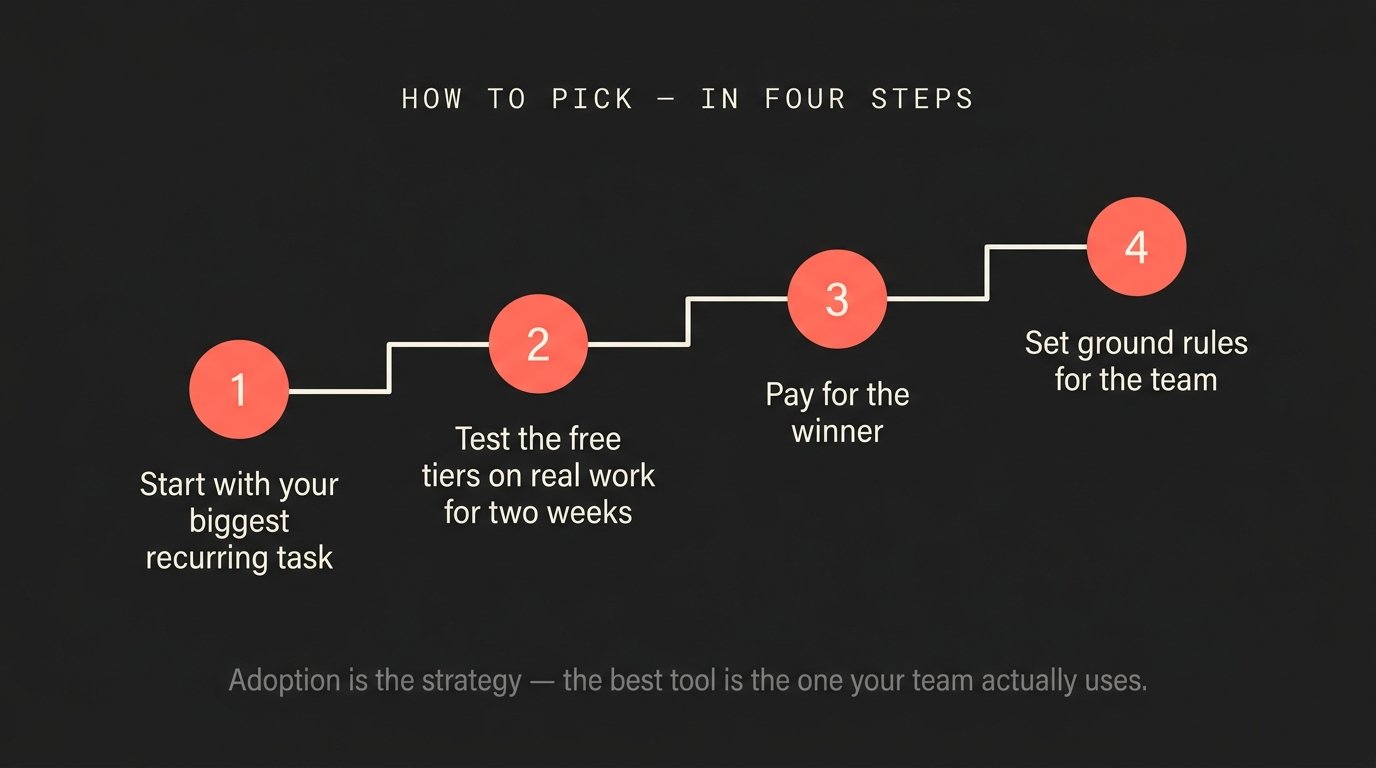
One last thing that's easy to forget: the best AI tool for your business is the one your team will actually use. A technically superior tool that sits unused because nobody learned it delivers less value than a “good enough” one that's genuinely woven into daily work. Adoption is the strategy — not an afterthought.
Not sure which of these fits your business — or how to actually build AI into your day-to-day without the overwhelm? That's what we do at Arperture. Reach out through the contact page and we'll help you pick the right tool and set it up around your real workflow.